Quick service
Customers order and pay at the counter. Ideal for coffee shops, snack bars and fast food.

GStocky Restau · Cloud POS
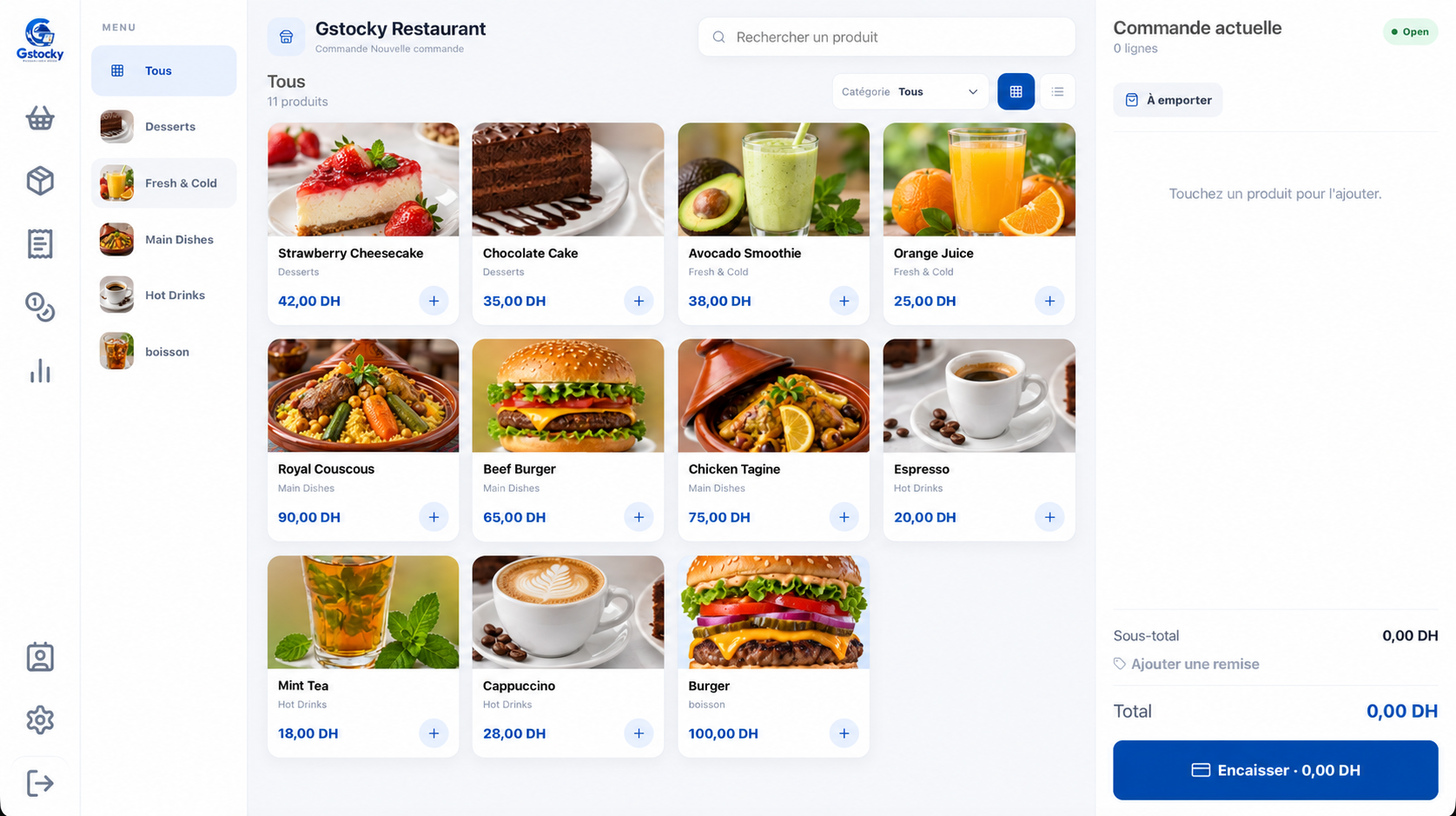
Take orders at the counter or at the table, send them to the kitchen, get paid and follow your sales—from a browser, a tablet or an Android phone.
Cloud-based: nothing to install to get started
Your way of serving
Choose how your place works when you set it up. You can change it later as your service evolves.
Customers order and pay at the counter. Ideal for coffee shops, snack bars and fast food.
Waiters take orders at the table and send them straight to the kitchen.
Run counter sales and table orders side by side in the same restaurant.
One continuous service
Every step of an order lives in one place, so your team always knows what is happening.
Tap items from a visual menu, add options and preparation notes.
Kitchen tickets print automatically or appear on the kitchen screen.
Follow each order from new to preparing, ready and served.
Cash, card or both—with discounts, partial payments and receipts.
Count the register and read your sales reports in seconds.
Everything for the service
The tools your team uses every shift, organized so they stay simple when the room gets busy.
Organize dining areas—room, terrace, upstairs—and see at a glance which tables are free or occupied.
Categories, prices, pictures from a ready-to-use food library, and out-of-stock items in a few clicks.
Sizes, sugar, sauces, supplements: required or multiple choices with extra prices.
Send new items to the kitchen, print kitchen tickets and track preparation status.
Handle every order type from the same screen, with the right details for each.
Cash and card, partial payments, change due, item and order discounts, customer bills.
Open with a cash float, close with a count, and keep the history of every session.
Waiter, cashier and manager permissions, with quick PIN login on shared devices.
Revenue, average ticket, sales by hour, by waiter, by category and best-selling items.
Cloud + Android
GStocky Restau runs in the cloud. Your team works on the devices they already have, and you keep an eye on the business even when you are not on site.
Open restau.gstocky.com in any modern browser—PC, Mac or tablet.
Turn Android tablets and phones into order-taking terminals for your waiters and counter.
Unstable connection at your place? GStocky Restaurant POS also exists as an offline desktop edition for Windows and Mac. Discover the offline edition
Printing & languages
Bluetooth, Wi-Fi / network (IP) and USB printers, or the system print dialog. Choose paper width and auto-print for receipts and kitchen tickets.
Each team member can work in their language, with full right-to-left support for Arabic.
Moroccan dirham, euro, US dollar, Saudi riyal, UAE dirham, Algerian and Tunisian dinar and more.
Create your restaurant on GStocky Restau, add your menu and start taking orders.
Questions, answered
GStocky Restau is a cloud point-of-sale system for restaurants and coffee shops. It covers order taking, tables, menu, kitchen tickets, payments, cash register sessions, staff and sales reports. It runs in your browser at restau.gstocky.com and on Android.
No. Create your account and use GStocky Restau from any modern browser. You can add the Android app on tablets or phones used by your waiters and at the counter.
Yes. In table service mode, waiters open a table, add items with their options and notes, and send the order to the kitchen. Each staff member can sign in quickly with a personal PIN.
GStocky Restau supports Bluetooth, Wi-Fi / network and USB thermal printers, as well as the standard print dialog. You can print customer receipts and kitchen tickets automatically.
GStocky Restau is a cloud solution and needs an internet connection. If your restaurant needs to work offline, the GStocky Restaurant POS desktop edition runs locally on Windows and Mac, and Android tablets can connect to it over the restaurant Wi-Fi.
Yes. Quick service mode is designed for counter ordering and payment, which suits coffee shops, snack bars, bakeries and fast food. Table service and a mix of both are also available.