Find items quickly
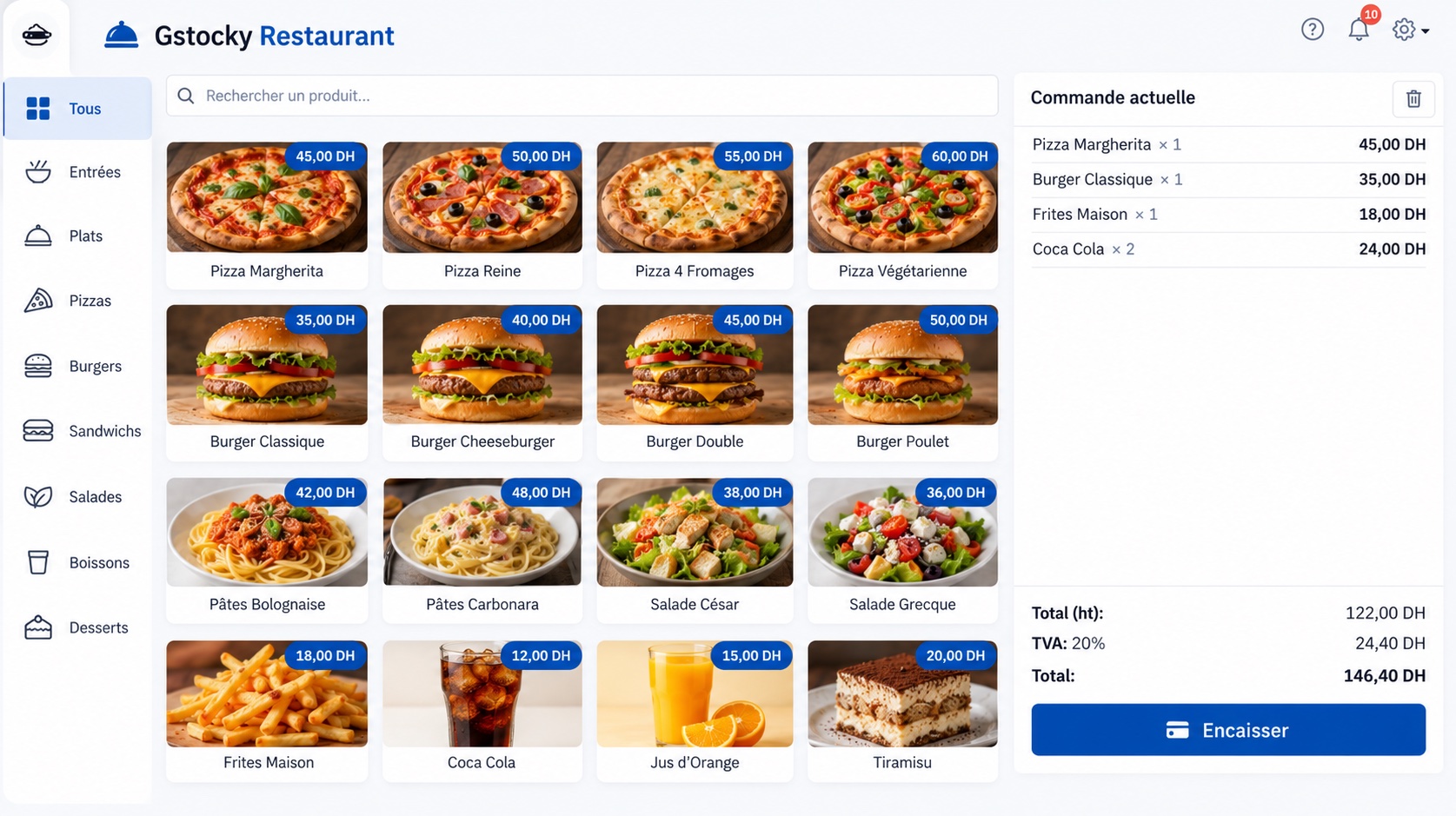
Move through a visual menu and build each order from one clear counter workspace.
- Clear at a glance
- Restaurants

GStocky Restaurant POS
An offline point-of-sale workspace made for restaurants and coffee shops. Keep service focused, orders organized and your counter ready for the next guest.
Available for Windows and Apple-silicon Mac
Made for service
A focused flow gives your team less to think about when the room gets busy.
Move through a visual menu and build each order from one clear counter workspace.
Review items, quantities and the running total before the order moves forward.
Keep the desktop POS available when an internet connection is slow or unavailable.
Offline by design
Install GStocky Restaurant POS on your desktop computer and keep the ordering workspace where the work happens—at your restaurant or coffee-shop counter.
Select the installer that matches your computer.
Set up the desktop software on your restaurant workstation.
Keep the POS available without a permanent internet connection.
Get GStocky Restaurant POS
Choose the version built for your computer and download the installer directly.
Questions, answered
Yes. This restaurant edition is desktop software designed to keep its POS workspace available offline.
Choose the Windows installer for a 64-bit Windows PC. Choose the macOS installer for a Mac with Apple silicon.
Yes. GStocky Restaurant POS is intended for both restaurants and coffee shops, including counter-service environments.
Contact the GStocky team if you need help choosing the correct installer or setting up the software on your workstation.